
How Live Betting Works on Your Phone
Live betting differs from traditional selection placement because odds shift in real time. When you open a Liga 1 match or Piala AFF fixture on chakibet, the odds are live—they reflect the current state of play, injury updates, and betting volume at that exact second. We display these odds in a scrollable list on your phone's screen. You tap a selection, confirm the amount you're committing, and we record your entry immediately. The selection either settles when the event ends or, in some game types, between specific intervals.
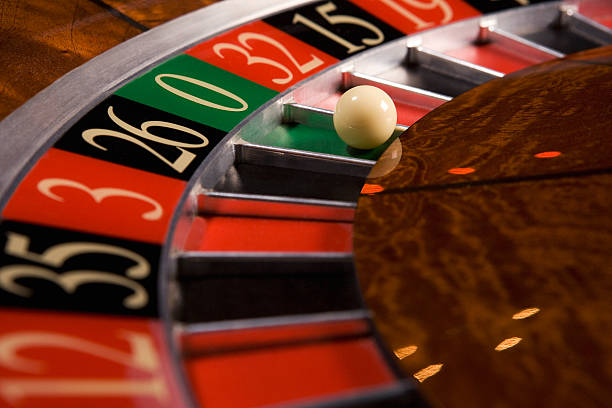
Our live-dealer tables—blackjack, roulette, baccarat, Dragon Tiger—operate on the same principle. A real dealer streams video to your phone. You see the cards or wheel in motion. You select your play, confirm, and we process it while the table is still active. We've optimized video streaming to work on 4G and 5G networks; the stream adapts if your connection weakens.
Live events require active internet connectivity
We cannot save unconfirmed selections if your connection drops. Always verify your mobile signal before opening a live table or match.
Mobile Installation and Login
To start on Android, you download our APK directly from chakibet. We guide you through Android's security prompts—since we're not on the Google Play Store, your phone asks you to confirm installation from an unknown source. Once installed, the app opens to our login screen. Enter your username and password, enable two-factor authentication if you've set it up, and you're logged in within seconds.
iPhone users navigate to chakibet.app in Safari or another browser, bookmark the site, and log in directly. No app download needed. The browser experience delivers the same feature set as the Android app: live tables, football markets, esports feeds, payment options, and account settings. We've tested this path extensively on iOS 15 and later to ensure stability.
Your first login prompts account verification. We request identity documents—national ID or passport image—and a proof of current address (utility bill, bank statement). On mobile, you photograph these documents with your phone's camera and upload them through our verification form. We review your submission within one business day, usually faster. Once approved, your account is fully activated for deposits and gameplay.

Deposits and Payments on Mobile
We accept eight payment methods on your phone. E-wallets—DANA, e-wallet, mobile banking, local payment, online payment—connect directly. You tap the method, your phone opens the e-wallet app, authorize the transfer, and we receive confirmation in seconds. Bank transfers—e-wallet, mobile banking, local payment, online payment—use virtual account numbers we generate for you. Your phone's banking app lets you transfer to that number immediately. e-wallet codes work the same way; scan our code and authorize from your e-wallet.
After you deposit, we credit your chakibet balance within moments. No holds, no pending periods. If you deposit our welcome offer via mobile banking, your account shows our welcome offer available for live betting or live-dealer play within 30 seconds. We don't deduct fees on deposits—you receive what you transfer.
Withdrawals follow the same paths. You navigate to your account settings on mobile, select "Withdraw," enter the amount, and choose your payment method. If you use local payment or another e-wallet, funds return to that app. If you used a bank transfer, we send funds to the account number on file. Withdrawals go through a standard review—we verify the request matches your account details and hasn't triggered any compliance holds—and then we process it. Most withdrawals clear within one to two business days; some arrive faster depending on your bank.
Game Categories: Football, Live Dealers, Slots, Esports
Live betting on chakibet splits across four main categories, each suited to different moments and connection types:
- Football and tournamentsLiga 1, Piala AFF, Champions League, Premier League matches. Odds update second-to-second as the game unfolds. Requires stable internet to track live score feeds, but not demanding on bandwidth.
- Live-dealer tablesVideo-streamed blackjack, roulette, baccarat, Dragon Tiger. Real dealers operate tables from multi-camera studios. Requires stronger connection for smooth video. Most data-intensive category.
- SlotsAviator, Sweet Bonanza, Gates of Olympus, Fortune Tiger, Mahjong Ways. Not truly "live" in the sense of game information, but included in our gaming catalog. Minimal data use.
- EsportsMobile Legends, Free Fire, PUBG Mobile tournaments and matches. Live commentary and odds similar to football. Growing segment for younger players.
Live betting on mobile isn't about speed; it's about access. We've built for moments when you're away from your desk, watching something unfold, and want to engage in real time.
Data Usage and Network Reliability
We compress live-dealer video streams to balance quality and data use. A 30-minute live blackjack session uses roughly 150–200 MB depending on video quality and your connection speed. We auto-adjust stream resolution if your network weakens, trading definition for continuity. Football and esports feeds use far less—under 10 MB per hour—because they're score updates and odds text, not video.
If your connection drops mid-session, we pause your view but keep your selections safe. When you reconnect, we resume from where the match or table left off. If a selection was placed before the disconnect, it stands. If you were still deciding, your pending selection is discarded and your balance is untouched.


Account Notifications and Settings
Once you've verified your account, we can send you push notifications. These alert you to deposit confirmations, withdrawal status updates, table availability alerts, and upcoming major events. On Android, notifications arrive through our app. On iPhone, we send notifications through the browser if you've allowed them in Safari settings.
You control notification preferences in your account settings. You can disable specific types—say, you want to know when withdrawals clear, but not when a new tournament starts. You can set quiet hours so we don't send alerts between 10 PM and 8 AM. These settings sync across all your devices, so if you disable alerts on your phone, they're disabled everywhere.
-
1
Download and install on AndroidStep 1
Visit chakibet.app, download the APK, confirm installation, and open the app on your device.
-
2
Verify your identity and addressStep 2
Upload ID and proof-of-address documents through the app. We review within one business day.
-
3
Add funds via online payment, e-wallet, or bank transferStep 3
Choose a payment method, confirm the transfer from your e-wallet or banking app, and funds appear in seconds.
-
4
Browse live events and tablesStep 4
Navigate to football fixtures, live-dealer tables, or esports matches. Select an event and start.